Add CNAME record with Siteground
Complete the CNAME Setup
Log Into SiteGround
- Visit tools.siteground.com and log in.
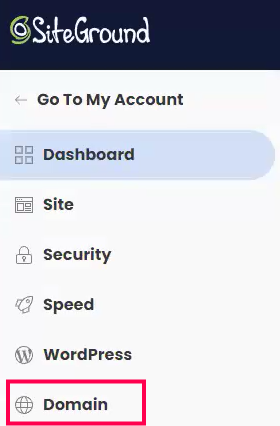
- In the left-hand navigation menu, click Domain.
Open the DNS Zone Editor
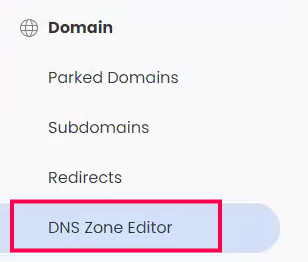
Inside the Domain section:
- Click DNS Zone Editor.
Create a New CNAME Record
- Under Create New Record, click CNAME.
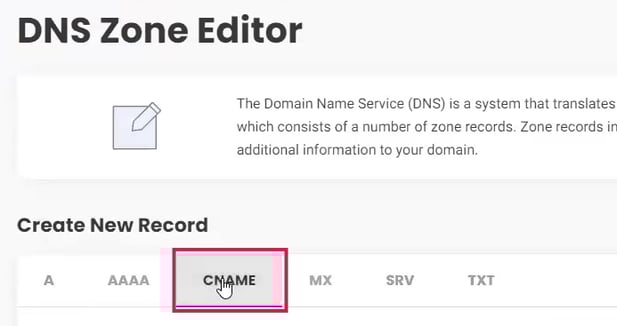
- A CNAME creation panel will appear.
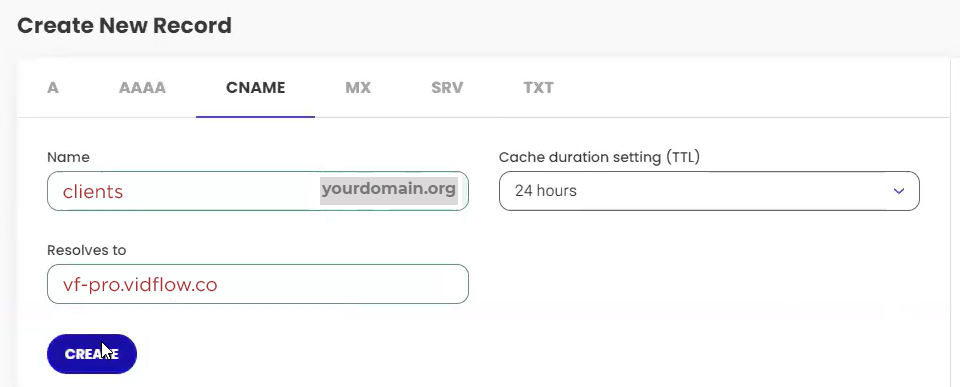
Enter the Following Fields:
- Name: clients
- Resolves To: vf-pro.vidflow.co
- TTL: 24 hours
- Click Create to save
Please allow up to 1 hour for the DNS records to propagate, and try verifying your custom-domain again.